
The tool, known as Gicem (Comprehensive Cemetery Management), is available free of charge through the municipal website. To carry out a search, users only need to enter some details about the deceased, such as their first and last names and, if known, their date of birth or death. It is not essential to have all the information, although the more details provided, the easier it will be to narrow down the results.
Once the search has been completed, the system displays the possible results and allows users to identify where the burial is located. This means visitors can avoid walking around the cemetery without knowing exactly where to go and can plan their visit in advance.
A MAP TO FIND THE GRAVE
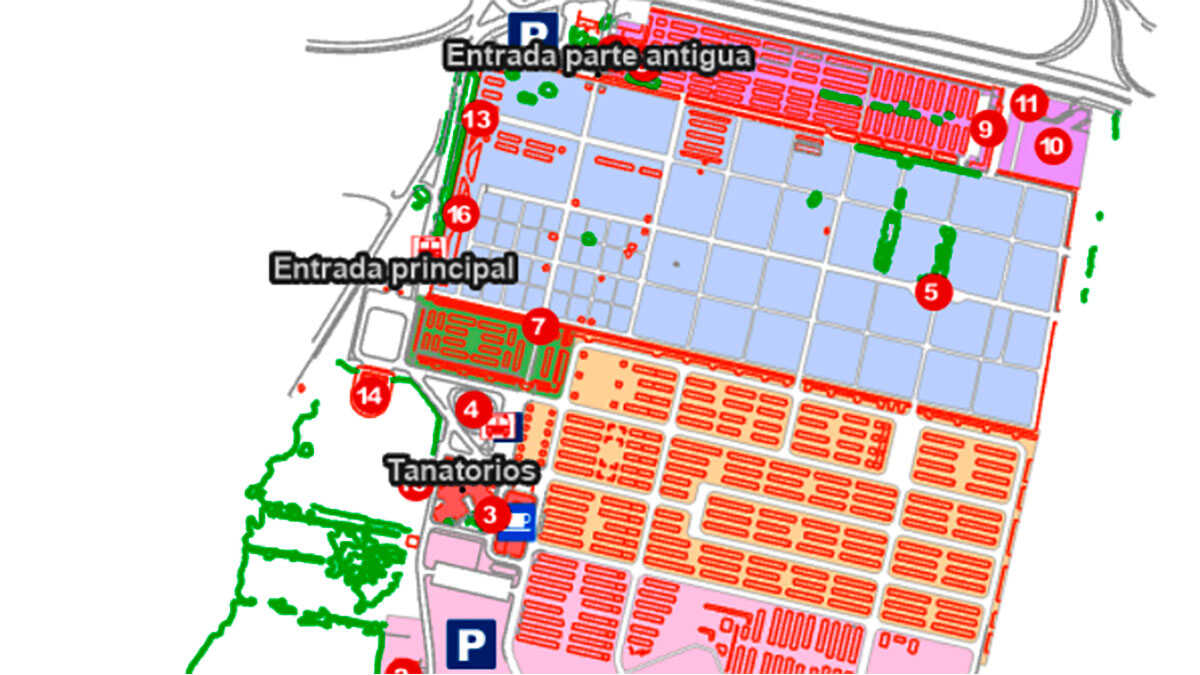
The locator does not only allow searches using the deceased person’s personal details. It also offers the option of searching by location, using references such as the block, section, row, number or type of burial. In addition, it includes an interactive map to make it easier to find one’s way around the cemetery.
The tool displays a maximum of ten results per search, so users are advised to add more details if they cannot find the person they are looking for. If the person cannot be located or information is needed about ownership of a niche or mausoleum, users can also contact the cemetery’s administrative offices. They are open Monday to Friday from 8:30 a.m. to 1:30 p.m., and can be reached on 976 723 671 or at informacementerio@zaragoza.es.